

Common operators by type
The above table shows only a subset of available fields and operators. The expression editor shows all available fields and operators.
Create a filter expression
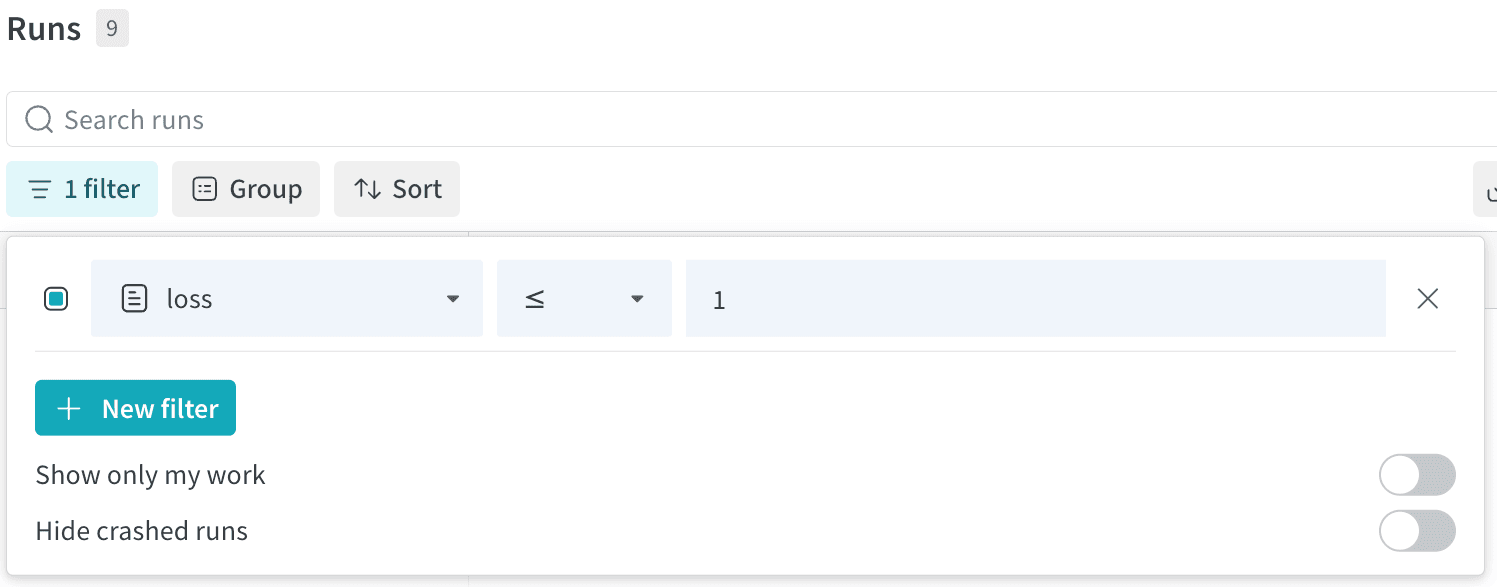
- Navigate to the Runs tab from the project sidebar.
- Select the Filter button, which looks like a funnel, above the runs table.
- From left to right, select a column name, a logical operator, and a filter value to create a filter expression.
- Optionally select New Filter to apply additional filters.
1:
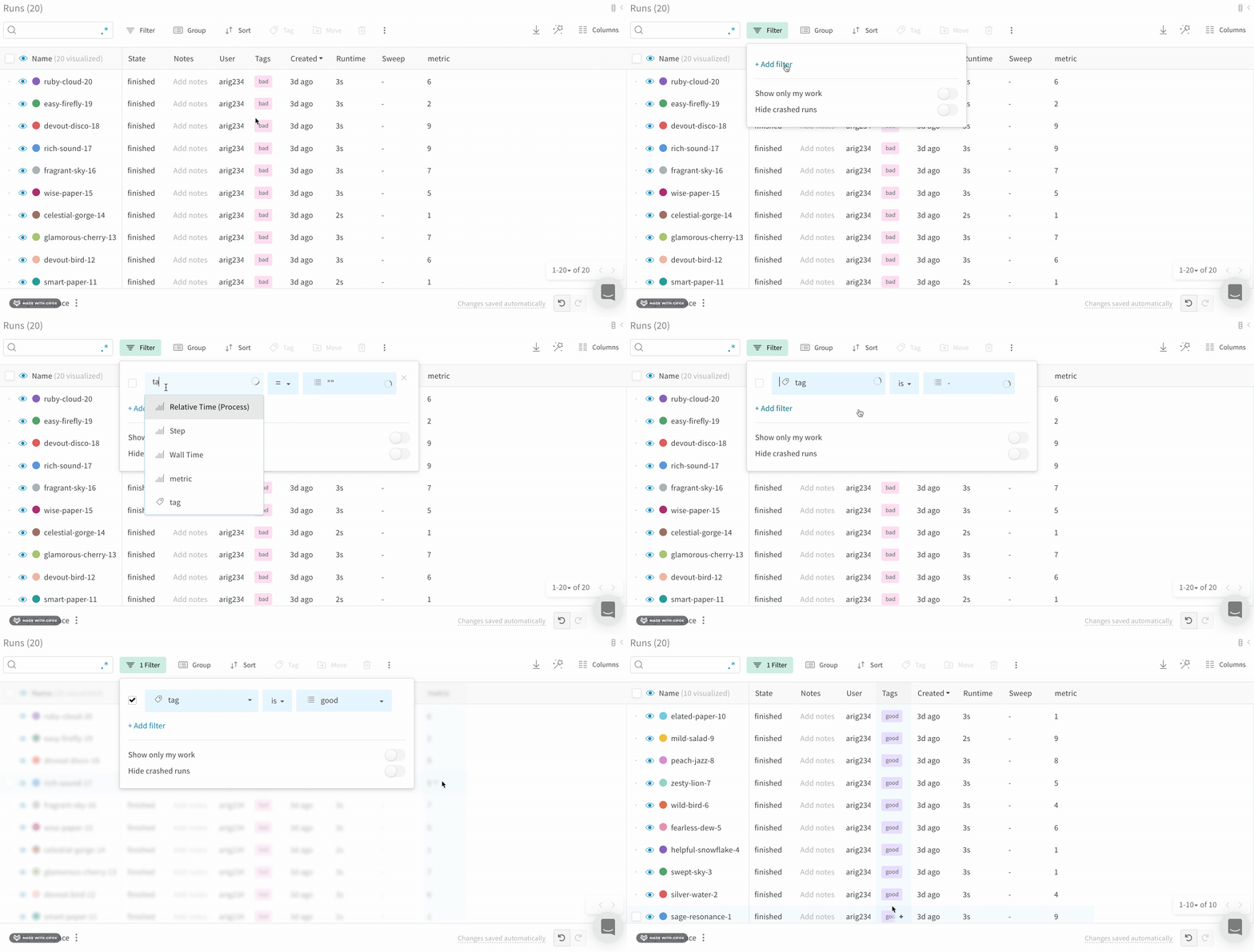
Example: Filter runs with tags
Filter runs based on their tags:- Click on the Runs tab from the project sidebar.
- Select the Filter button, which looks like a funnel, above the runs table.
- From left to right, select
"Tags"from the dropdown menu select a logic operator. - Select is, is not, in, or not in from the second dropdown menu.
- Enter the tag name you want to filter by from the third dropdown menu.
Default filters
By default, W&B provides the following filters:- Show only my works: Shows only runs created by the current user.
- Hide crashed runs: Hides runs with the
crashedstate.
Remove a filter
To remove a filter from the Runs table:- Click on the Filter button, which looks like a funnel, above the runs table.
- Select the
xicon next to the filter you want to remove.